 Ambitus
Files and Storage
Everything is a file
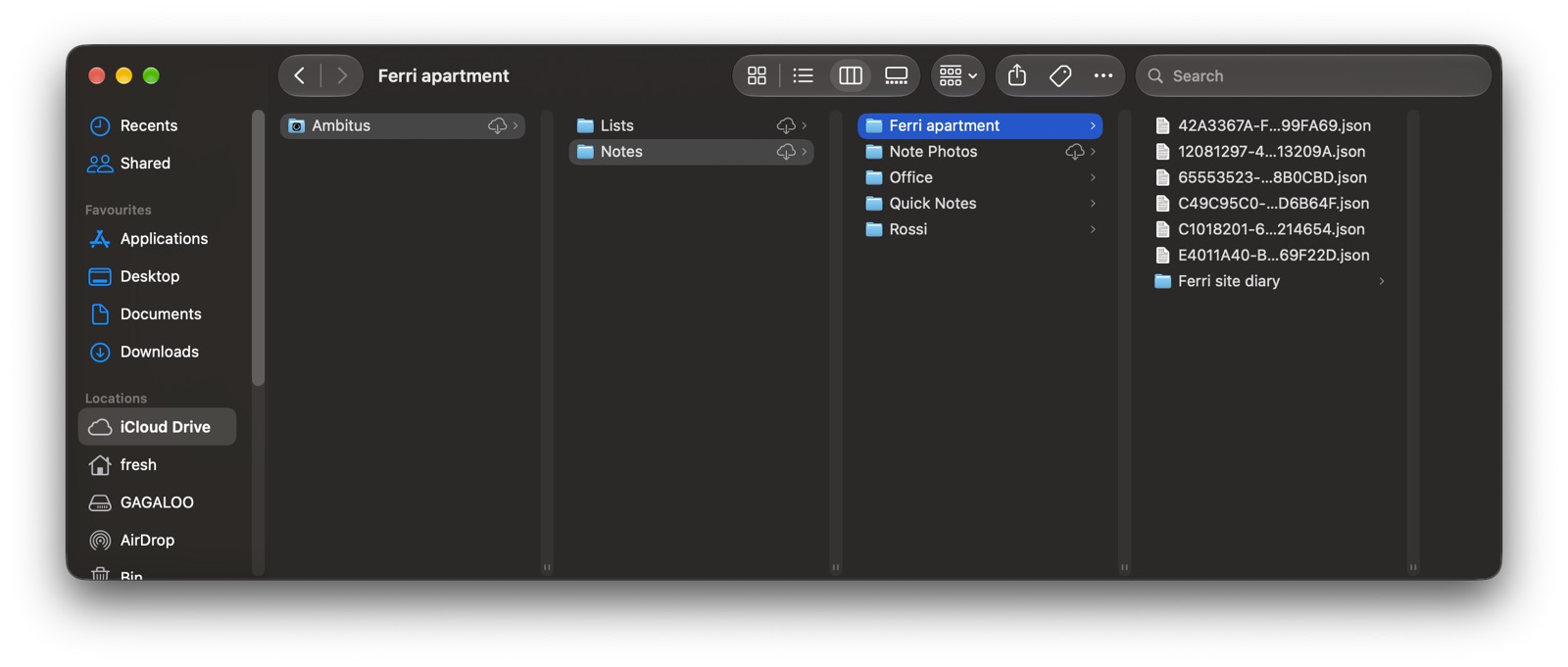
Ambitus keeps your notes, lists and quotes as ordinary files in folders. They are yours: you can see them in the Finder or the Files app, copy them and back them up like any other files.
Tasks and events are different. They stay in Apple's Reminders and Calendar, and Ambitus only shows them.
The Ambitus folder
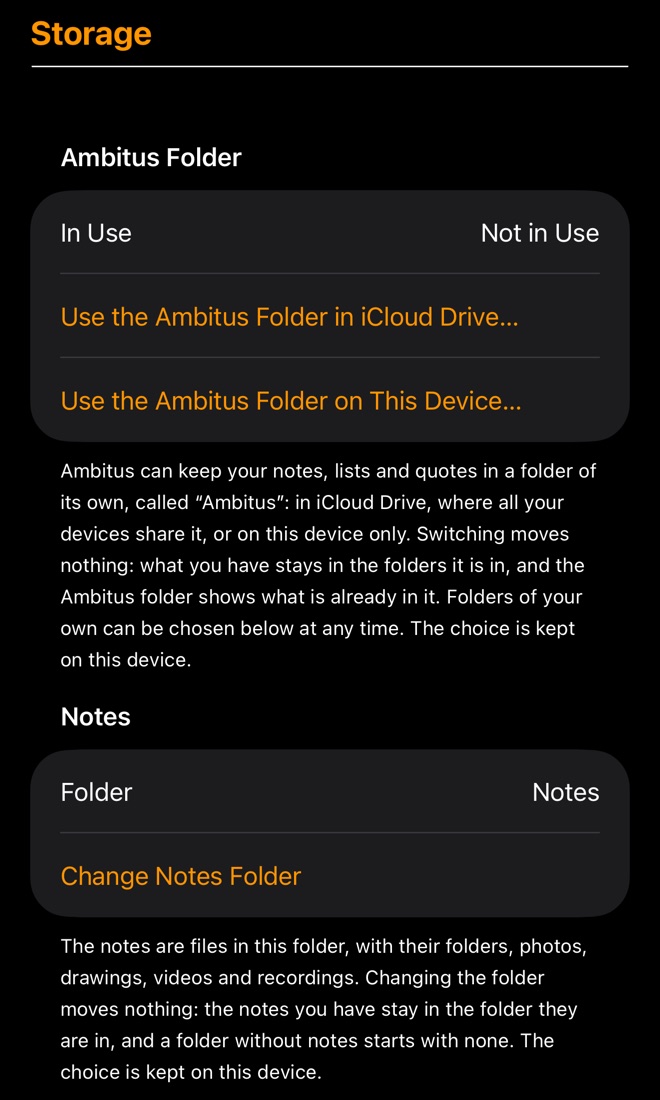
If you didn't choose folders yourself, Ambitus uses a folder of its own called Ambitus, with Notes and Lists inside it. It can be in iCloud Drive, where all your devices share it, or on this device only.
Folders of your own
Settings ▸ Storage shows the folder in use for Notes, for Lists and for Quotes, and lets you choose another for each.
- Changing a folder moves nothing. What you have stays in the folder it is in, and an empty folder starts empty.
- The choice is kept on each device separately, so set it on every device.
What is in the folders
- Notes: one file per note, in folders as you see them in the app, and a folder Note Photos with the photos, drawings, videos and recordings.
- Lists: one file per list, and a Quotes folder with the quotes.
Syncing
Ambitus doesn't sync by itself: iCloud does. A folder in iCloud Drive is kept the same on all your devices. A folder somewhere else stays on this device only.
Ambitus looks at its folders every five seconds and shows what has changed. How quickly a change arrives from another device depends on iCloud, not on Ambitus.
If two devices change the same note or list, Ambitus doesn't overwrite. It asks Keep My Version or Use the Newer Version.
Tidying up
Settings ▸ Storage ▸ Clean Up Unused Media… looks for photos, videos, recordings and drawings no note uses any more and shows them. Only when you say so does it move them away:
- Mac: to the Trash.
- iPhone and iPad: to Recently Deleted in the Files app.